We were just talking about ChatGPT building a Search Console for businesses. It had been spotted, not launched. Well, on 10 November, it launched. In beta, but live. I still can’t believe how fast that was.
So here’s the short, practical version for heads of digital and heads of marketing. What it is, how to claim your business, and what we can do in what order. It looks like the order matters more than usual here, and I’ll explain why.
What it is, in a few lines
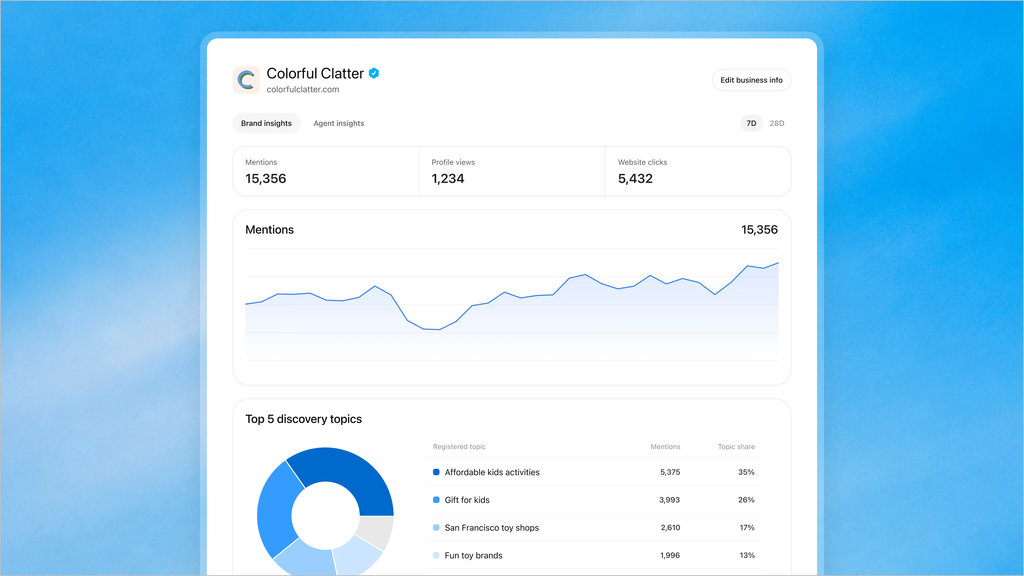
Business Hub lets you claim your business in ChatGPT, manage the information shown about it, and see aggregated insights: mentions, profile views, website clicks, and the common themes, which OpenAI calls discovery topics, in conversations where your site is cited. Nothing groundbreaking, but very much needed – did you read that? CLICK DATA!
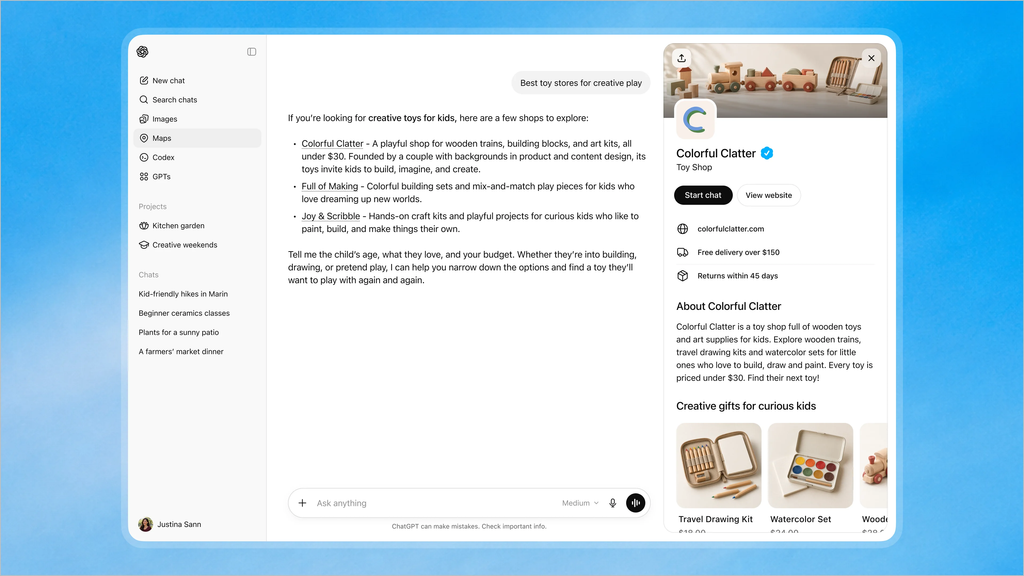
Once verified, you can update key details and add self-service product feeds with pricing and availability. When your business appears in an answer, people can click through to its ChatGPT profile. So that profile is now something you’re responsible for.
There’s also a Business Agent, an assistant customers can chat with. For now it’s limited to eligible ecommerce and online service businesses in the US, and it can be sponsored and used as an ad destination.
Two honest caveats. The 1.2 billion weekly users is OpenAI’s own figure. And it’s a beta, which OpenAI itself calls an early step, so expect things to move.
I have now started setting this up for my own clients, so I am unable to share but let me use the words and screenshots of SEO roundtable:
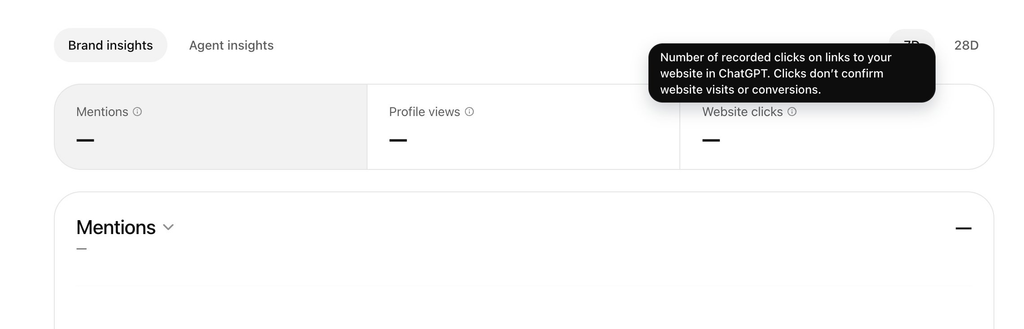
Here is the help tooltip over clicks; it says, “Number of recorded clicks on links to your website in ChatGPT. Clicks don’t confirm website visits or conversions.”
Step by step
1. Decide who owns this.
Before anyone clicks anything, name one owner. Marketing owns what the profile says. Digital or IT will probably be needed for verification (more on that below). Someone senior should know it’s happening. This sounds dull, and it’s the step most likely to stall everything else.
2. Capture your baseline before you change anything.
This is the step I’d protect. Write down 20 to 30 questions your customers genuinely ask, run them in ChatGPT, and log what comes back, with the date. Screenshot the answers.
Once you start correcting information, you can’t go back and see what ChatGPT said before. No baseline, no before and after, and then no way to tell whether any change you see came from your edits or from the model moving underneath you. I’d do this even if you do nothing else on this list.
3. Check you’re eligible, then claim.

Eligible businesses in countries where ChatGPT is available can claim through Business Hub (chatgpt.com/business-hub). If you’re on Shopify, you can connect your store from Business Hub or the Shopify admin to streamline verification. Existing OpenAI Enterprise customers and advertisers go through their OpenAI representative instead.
For everyone else, you search for your business and verify it. There are options for a phone call or text to your main business number, or DNS verification, to give businesses multiple options. So agree in advance which route you’ll use. A phone number someone actually answers, or someone with access to your domain records. Don’t find out on the day.
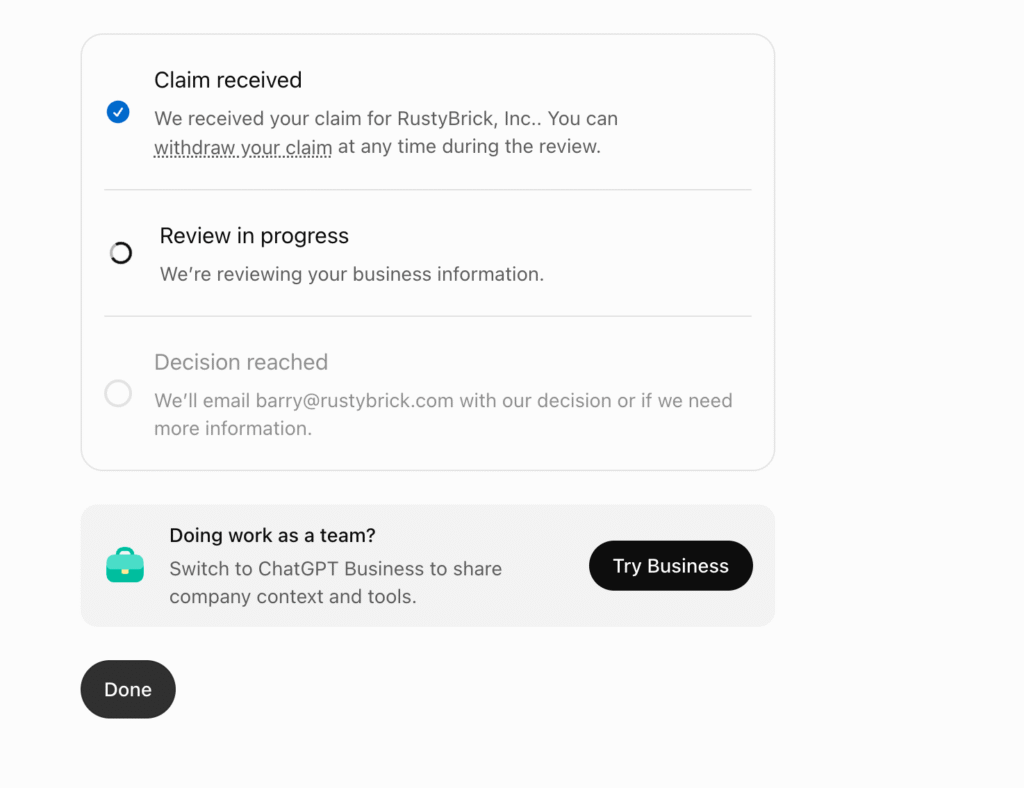
If you run several brands or locations, I haven’t seen yet how it handles them. OpenAI says tools for more complex organisations are coming later, which suggests that question is still open.
4. Check what’s shown, and fix what’s wrong.
Once verified, review the key details and correct anything out of date. Read it the way a customer would, not the way your team does. Keep it consistent with your own website, because inconsistency between the two is the thing I’d least want to create.
5. According to OpenAI, if you sell products, look at the product feed.
Self-service feeds with pricing and availability are on offer. If you add one, decide who keeps it accurate, because a stale price in a feed is worse than no feed. I wouldn’t assume it improves how often you’re mentioned. Nothing I’ve read says that.
6. Decide on the Business Agent. Probably: watch first.
If you’re outside the US, or not ecommerce or online services, it isn’t available to you yet. OpenAI plans to expand it to more markets and categories, so it’s one to keep an eye on rather than ignore. If you are eligible, I’d see how it behaves before sponsoring anything. That’s my view, not a rule.
7. Read the numbers carefully.
If you see any, not everyone is seeing numbers just yet. Let’s see what happens in the next few days.
According to OpenAI, the dashboard shows mentions, profile views, clicks and discovery topics. A few things to hold in mind:
- The clicks tooltip, in Barry’s screenshot, says clicks don’t confirm website visits or conversions. Check against your own analytics.
- OpenAI says insights only appear when there are enough conversations to meet certain thresholds, and that it doesn’t share users’ conversations or Business Agent chats with businesses.
- Barry reported seeing no data yet right after claiming, so don’t read anything into the first days.
- This tells you what, not why. Same limit as last time.
If you use Microsoft Clarity, I wrote about what it now shows for AI agents on your site. Putting the two together gets you closer to the full journey, from being mentioned to what happened after the click.
8. Set a rhythm.
Look weekly, not daily. Re-run your baseline questions monthly and log the results next to the dashboard figures. Write down what you expected to change before you check.
Thoughts & Obervations
Barry raised a concern I share: how well will this be protected against the wrong person claiming a business? Verification looks like phone, text or DNS, which is reasonable, but I’d claim yours sooner rather than later, with the right owner, instead of leaving it open.
The short version
Name an owner. Capture your baseline. Claim and verify. Correct the basics. Read the numbers with a healthy suspicion. Review monthly.
None of it needs a big project. It needs doing in the right order, and the baseline first.
Sources: